
Benefits of Working with a Freelancer: Affordable, Flexible, and Results-Oriented
When it comes to building a website from scratch, one of the key decisions is who to hire: a web studio, an agency, or a freelancer? More and more often, the choice falls on a freelancer. Why? Because freelance development isn’t a compromise - it’s a strategic decision.
First, flexibility. Freelancers work directly with you. There are no long chains of managers, no bureaucracy, and no unnecessary delays. There’s a task, an expert, and direct communication. Need to make a change? Just message the freelancer, and it’s done. No queues, approvals, or "we'll think about it."
Second, cost-efficiency. Freelancers don’t have office rent, full-time staff, or administrative overhead. That means you only pay for actual work. And often, the quality rivals or exceeds that of expensive agencies. Freelancers care about every project, every review, every recommendation.
Third, personal approach. When you hire a freelancer to build your website, they become part of your team. They are invested in your success - their reputation and future jobs depend on it. A good freelancer digs into your business, offers ideas, and notices details you might overlook.
Lastly, transparency and control. You always know what stage the project is at. Most freelancers work in phases: prototype, then design, then development. That way, you pay as the project progresses and stay involved every step of the way.
Bottom line: if you want a website built on your terms, with attention to detail and no overpaying - hiring a freelancer is your best move.
Key Stages of Creating a Website with a Freelancer
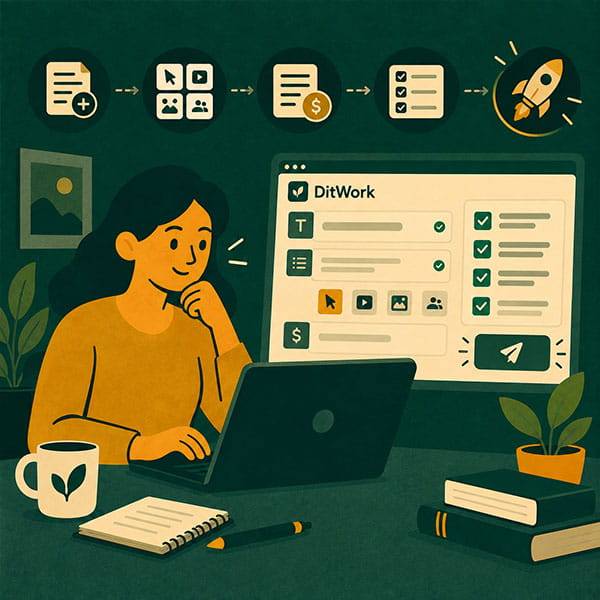
- Analysis and goal setting: define what the site is for, who it’s for, and what it should do.
- Prototyping: a wireframe is created - a visual mockup without design. It helps clarify the structure and allows easy adjustments early on.
- Design and UX: unique design tailored to your brand and audience, with a focus on user experience and clarity.
- Development: turning design into a live site, with animations, forms, and responsive layout for all devices.
- SEO structure: semantic HTML, proper headings, alt tags, microdata, and a keyword core to help rank in search engines.
- Mobile adaptation: mobile-first performance, fast loading, smooth scrolling, and intuitive interactions.
- Integrations: CRM, chatbots, forms, analytics, payment systems - your site becomes a real business tool.
- Testing and launch: site is tested across devices and browsers, then deployed to your hosting, ready to go live.
Popular Website Types Clients Request
- Business card website: a simple multi-page site to present who you are, what you do, and how to contact you.
- Online store: full e-commerce functionality - product catalog, cart, checkout, order management.
- Landing page: a single-page site optimized for conversions - forms, calls-to-action, structured content.
- Blog or content site: ideal for experts, personal brands, or SEO-driven traffic with categories and tagging.
- Corporate website: for companies showcasing team, services, case studies, and more - scalable and solid.
- Portfolio: perfect for designers, writers, or creatives - elegant presentation of work and experience.
Client Checklist: What to Prepare Before You Start
- Define the goal - leads, sales, content, brand visibility, or something else?
- Prepare texts: service descriptions, company intro, FAQs, or at least rough notes.
- Collect examples of websites you like (design, layout, features) - they’re helpful references.
- Provide your brand assets - logo, color palette, fonts - or request a brand kit.
- Get visuals ready - images, videos, or indicate the need for stock content.
- Describe features you need - forms, CRM, live chat, payment options, registration, etc.
- Be clear about timing and budget - it helps plan realistically and split into stages if needed.
- Clarify hosting and domain - do you already have them, or need assistance setting them up?
Important: the more details you prepare upfront, the smoother and faster the process will be. Even if you’re missing something - a good freelancer will guide and support you through it all.