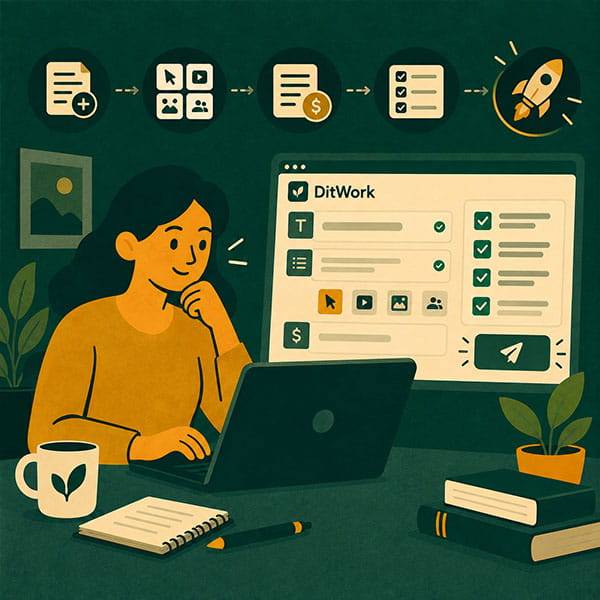
Creating a microtask on DitWork is straightforward. The most important thing is not how many settings you use, but whether a worker can immediately understand what to do, what to submit, and how much an accepted result pays.
A clear task is easier to complete and much easier to review.
When a microtask is the right choice
Use a microtask when the same small action needs to be completed several times by different people. For example, testing a page, submitting a form, checking data, or following a short scenario.
For larger work with one specialist, create a regular project. If you need 10, 50, or 100 separate results based on the same instructions, create a microtask.
Before creating it, answer three questions
- What exactly should the worker do?
- What should the worker submit afterwards?
- How many results do you need?
Step 1. Choose the scenario and task type
Open Create a microtask. Choose the closest scenario, platform, and task type. If none fits, create your own task.
Use a title that explains the action. “Test the registration form on a mobile device” is much better than “Easy task.”
Step 2. Write instructions like a real person
Short steps are easier to follow than a long block of text.
- Open the specified page.
- Fill in the test fields.
- Submit the form.
- Take a screenshot of the result.
- Return to DitWork and attach the screenshot to the report.
Add any required links and files directly to the task.
Unique texts are not required
Use unique texts when each worker needs a separate code, text, number, link, or another individual value.
If everyone can work with the same information, leave this feature disabled.
When the pool runs out, new workers stop receiving the task. You can add new values or disable the feature.
Adding new texts does not automatically add new result slots. If all planned results are already used, increase the result quantity separately.
Step 3. Explain exactly what must be submitted
Do not simply say “Send proof.” Tell the worker what you need to see.
For example: “Attach a screenshot of the final screen showing that the form was submitted successfully.”
Step 4. Answer the safety questions accurately
DitWork asks whether the task includes 18+ content and whether software, an app, plugin, or extension must be installed.
If additional review is needed, the task may go through moderation. That is a normal part of publishing.
Step 5. Set the result quantity and reward
If you need exactly 20 results, enter 20. If there is no exact limit, you can leave the quantity unlimited.
The reward should match the time and effort required. For most tasks, a fixed reward per accepted result is the simplest option.
The task budget is separate from your main balance
Money on your main DitWork balance is not automatically added to a specific microtask.
After creating the task, transfer the required amount into the task budget.
- Add money to the main balance only if needed.
- Create the microtask.
- Transfer funds into the task budget.
- Check that the task is active.
If the task stops working
Check three things:
- Is there enough money in the task budget?
- Are there free result slots?
- Are unique texts still available if that feature is enabled?
A common case is adding new texts after all result slots are already used. Another is increasing the result quantity but forgetting to add budget.
After publishing, view the task as a worker would
Check the title, steps, link, proof requirements, and reward. If something is unclear to you, it will probably be unclear to workers too.
How to review results
Review submissions using the conditions that were visible before the worker started. If the result meets them, accept it. If something can be corrected, explain exactly what needs to be fixed.
A simple example
Title: Test the contact form from a mobile device.
- Open the page.
- Fill in the test fields.
- Submit the form.
- Take a screenshot of the final result.
Report: final screenshot plus the device or browser name.
Quantity: 20 results.
Unique texts: not needed.
In short
A good microtask answers three questions immediately: What should I do, what should I submit, and how much will I receive?
Create a task at /microtasks/create. You can browse published tasks in the microtask section.