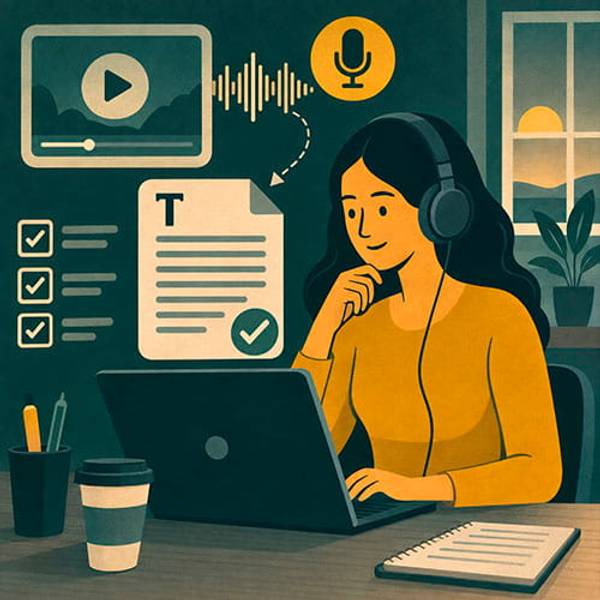
Some tasks get postponed again and again. A 58-minute meeting sits on the phone, a long interview is buried in a folder, and the sentence you need was definitely somewhere in the middle. Listening to everything again wastes time. It is often easier to order audio or video transcription and turn the recording into text you can actually use.
Transcription is useful for interviews, lectures, meetings, consultations, podcasts, webinars, research, voice notes, and subtitles. Sometimes the client needs a nearly verbatim record. Sometimes they want clean readable text without filler words. You can find specialists through the specialist categories, but first decide what kind of text you need.
First decide whether you need readable text or an exact record
The biggest mistake is treating every transcription as the same product. For an internal summary, pauses, false starts, and repeated filler words may only make the document harder to read. For an interview, research project, disputed conversation, or any material where wording matters, the transcript should stay closer to the original speech. That is why the required accuracy level should be clear before the project begins.
There are three useful formats. A verbatim transcript keeps repetitions and false starts. A clean transcript removes obvious filler while preserving meaning and sequence. An edited transcript turns spoken language into a smoother document for publication or reporting. That last option includes editorial work, not just transcription.
If you are not sure which one to choose, explain how the text will be used. Meeting minutes usually need clear decisions and statements. A podcast transcript may need readable paragraphs and timestamps. An interview may need the speaker's personality preserved. Subtitles need accurate wording and sensible phrase breaks.
What makes one recording harder than another
Two recordings with the same duration can require very different amounts of work. One speaker may talk clearly in a quiet room. Another file may contain five people interrupting each other, background noise, an echo, and a remote participant with a weak connection. Duration matters, but it is not the only factor.
| Factor | What adds difficulty | What to tell the freelancer |
|---|---|---|
| Audio quality | Noise, echo, quiet speech | Whether difficult sections exist |
| Speakers | Interruptions and similar voices | Names of participants |
| Topic | Terms and proper names | A glossary or correct spelling |
| Format | Verbatim, clean, or edited | An example of the desired text |
| Timestamps | Additional markup | How often they are needed |
Professional terms, surnames, company names, product names, and abbreviations deserve special attention. A freelancer may hear a word clearly but still not know its correct spelling. A short list of names and terms often saves more time than a long project description.
What to send together with the recording
You do not need a long specification. For most tasks, the recording and a short set of rules are enough. Context still matters: if the freelancer understands who is speaking and what the conversation is about, it is easier to distinguish similar words and format the transcript correctly.
- the original audio or video file when available;
- the language or languages used in the recording;
- the approximate number of speakers and their names;
- company names, products, surnames, and specialist terms;
- the required level: verbatim, clean transcript, or edited text;
- whether timestamps are needed and how often;
- how unclear sections should be marked;
- the final format, such as DOCX, TXT, spreadsheet, subtitles, or another agreed file.
If the recording is confidential, do not place it in a public project description. Choose the freelancer first, agree on the workflow, and then transfer the material in an appropriate way. This matters even more when the recording contains personal data, internal business information, or sensitive conversations.
How to write a brief that does not produce one giant wall of text
Even an accurate transcript can be frustrating if it has no structure. A one-hour conversation turned into one continuous block forces the client to organize everything again. Define the final document in advance: speaker labels, paragraphs, timestamps, topic headings, or separate marking of decisions and questions.
A practical task template
Recording: duration, language, number of speakers, and audio quality.
Format: verbatim or clean transcription.
Speakers: how each person should be identified.
Timestamps: whether they are needed and how they should be placed.
Terms: surnames, brands, and specialist words that must be written correctly.
Deliverable: what file the client should receive and how it will be used.
For a long recording, ask the freelancer to process a short section first. Five or ten minutes is usually enough to compare verbatim and clean styles, check formatting, and see how comfortable the text is to read.
How to choose a transcription freelancer
Speed matters, but attention matters more. A quickly typed transcript with mixed-up names, missing negatives, or incorrect numbers may create more trouble than the original recording. You can browse published projects to see how other clients describe similar tasks, then ask candidates how they check accuracy.
Ask how unclear sections are marked, whether names and terms are checked against your glossary, and how several speakers are distinguished. For long recordings, also ask whether logical paragraphs and useful timestamps will be preserved.
- How are sections marked when the words cannot be understood confidently?
- Will only filler words be removed, or will sentence style also be edited?
- How will speakers be identified?
- Can timestamps be added to important moments?
- How are numbers, dates, names, and specialist terms handled?
- Will the transcript be reviewed again after the first pass?
Subtitle work needs separate file-format and line-length requirements. Interview transcription may need the speaker's natural voice preserved. Business meetings may benefit from topic-based structure. The same freelancer may be able to provide all of these, but only when the output format is defined clearly.
How to review the transcript without listening to the whole recording again
Checking every sentence would defeat the purpose. Instead, sample the beginning, middle, one difficult section, and a place with numbers, names, or important decisions. This gives a useful picture of quality without repeating the entire listening process.
Pay special attention to meaning. Missing words such as “not,” incorrect numbers, wrong dates, and mistaken names can change the substance of a conversation. Then check readability: are speaker changes obvious, are paragraphs sensible, and has the discussion avoided turning into one long block? If timestamps were requested, use a few of them to jump back to the recording and confirm they are practical.
A good transcript should save you from listening twice
The main test is simple: after receiving the text, you should not need to reopen the recording because the document is confusing. Important sections should be searchable, speakers distinguishable, key terms correct, and uncertain moments marked honestly. That is when a long recording becomes usable material.
If the transcript will later become an article, meeting summary, subtitle file, or publication, keep the stages separate. First obtain an accurate transcript, then agree on editing or rewriting as a separate task. This makes it clear where faithful speech-to-text work ends and where editorial interpretation begins.
If you already have a recording you have moved to the “listen later” list for the third time, post an audio or video transcription task. Include the duration, desired text format, and important terminology. Instead of spending another hour scrubbing through the timeline, you can get a document where the sentence you need is searchable in seconds.
Describe your task and receive freelancer offers within your budget.
Post a taskCompare specialist approaches, prices, and experience on DitWork.
Browse projects and freelancers