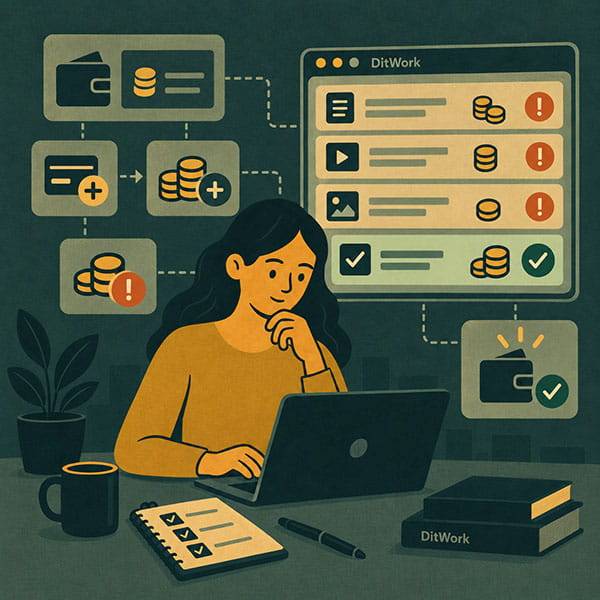
One of the most common client situations looks like this: there is money on the DitWork account, the microtask exists, but new workers cannot take it. Very often the reason is simple: the money is still on the main account balance while the task budget is empty or no longer sufficient.
DitWork keeps these balances separate. Here is how that works and what to check when a task stops accepting new completions.
Your main balance and microtask budget are different
Main balance is the money available in your DitWork account.
Microtask budget is the amount allocated to one specific task.
This means your account can still have money while a particular microtask has no available budget.
A simple example
Suppose your main balance contains enough money for 20 completions, but you fund the task only for the first 5.
Once the task no longer has enough budget for another completion, new workers cannot take it, even though your main account still has money.
How to fund a microtask
- Check your main account balance.
- Add funds there first if necessary.
- Open your microtask.
- Transfer the required amount into the task budget.
- Make sure the task is active and still has free result slots.
If your main balance already has enough money, you do not need to deposit again.
Why the budgets are separate
This is useful when you run several microtasks at the same time. You decide how much money to allocate to each task instead of mixing all spending together.
What happens after a result is accepted
When a completion is accepted, the amount associated with that result is deducted from the task budget. As the task continues to receive results, the available budget decreases.
How to tell when the budget is too low
If there is not enough money for another completion, new workers stop taking the task.
You do not need to delete the task or create a duplicate. Refill its budget if you still need more results.
Adding budget does not increase the result quantity
If your task was created for exactly 10 results and all 10 places are already used, adding more money will not create new worker places.
If you need 20 more completions, increase the result quantity and make sure the budget covers those additional results.
More result slots without budget will not help either
You can increase the result quantity from 10 to 30, but workers still cannot use the new slots if the task budget is insufficient.
- There must be free result slots.
- There must be enough budget for new completions.
What if unique texts are enabled?
Then there is one more thing to check. In addition to free result slots and budget, the task needs unused unique texts, codes, or other values.
If all unique values have already been issued, new workers cannot receive the task.
Automatic budget refill
For a microtask that runs continuously, automatic refill can be useful when available in the task settings.
You set a threshold and refill amount. When the task budget falls below that level, the system can attempt to transfer funds from your main balance.
The main balance still needs to contain enough money. Automatic refill cannot work if there are no funds available there.
Do you need to fund the full amount immediately?
No. When testing a new task, you can fund a smaller number of results first, review the initial submissions, and then add more money.
For a proven task that needs many completions, it is more convenient to provide enough budget in advance so it does not stop unexpectedly.
The budget is funded, but the task still does not work
Then check the task status, moderation, free result slots, unique texts, dates, and worker restrictions.
These cases are explained in detail in the article about why a microtask is not visible to workers.
Quick checklist
- Is there money on the main balance?
- Is there money in the task budget itself?
- Are there free result slots?
- Are unique texts still available if enabled?
- Is the task active?
The main point
Your main DitWork balance is account money. The microtask budget is money allocated to a specific task.
You can create a new task from Create a microtask and browse tasks in the microtasks section.