
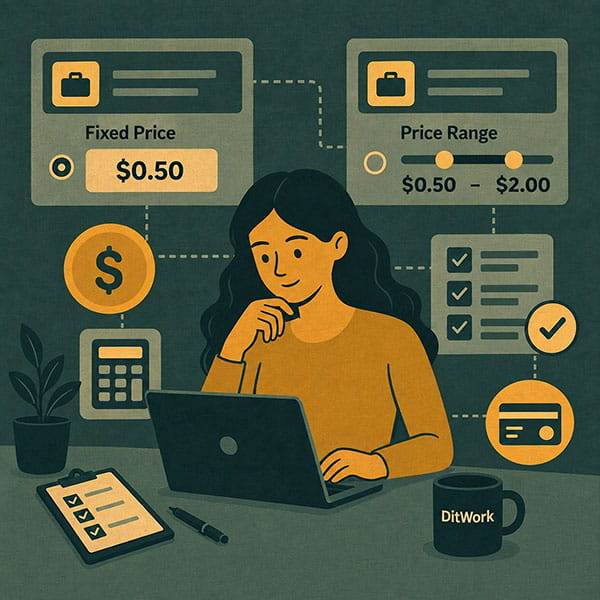
Microtask pricing affects more than the client's budget. It also affects how quickly workers decide to start the task.
To decide how much to pay for a microtask on DitWork, consider the complete workflow: reading instructions, registration, installation, the main action, waiting, proof preparation, and report submission.
Why very low payment can slow completion
A low reward is not automatically wrong for a genuinely quick task. The problem appears when the task includes several steps but the payment is priced as if it were only one click.
Workers compare available tasks and naturally prefer better payment for similar time and effort.
What affects microtask cost?
- total completion time;
- complexity;
- registration requirements;
- software installation;
- proof and reporting effort;
- waiting between steps;
- country, device, and profile restrictions.
Fixed payment on DitWork
A fixed reward is appropriate when every worker completes the same amount of work and every accepted result should receive the same payment.
When fixed payment works best
- the workflow is the same for everyone;
- the workload is known in advance;
- there are no different result levels;
- every accepted completion has the same value.
Payment range
DitWork can use a payment range with a lower and upper reward. This is useful when correctly completed results can objectively involve different amounts of work.
The rules should clearly explain what earns the minimum, what earns the maximum, and how the final amount is determined.
Do not use a range without clear rules
A worker should not see only “from X to Y” without understanding why the final payment may differ. Unclear ranges make a task less predictable.
How to choose between fixed and range
Ask one question: can two correct results objectively be worth different amounts?
If no, fixed payment is usually clearer. If yes, a range can work when the calculation rules are transparent.
Include reporting time in the price
Several screenshots, files, links, or detailed text reports all add real work and should be included when you set the reward.
Registration and installation increase workload
Creating an account or installing an app can add several steps before the main task even begins. Price these tasks differently from a simple page visit.
Result quantity affects total budget
Reward per completion and total campaign budget are different. Ten results and one hundred results require very different funding even at the same per-result payment.
See Microtask Budget.
When to reconsider the reward
Review your price when the task is visible but few workers take it, when new mandatory steps are added, when proof becomes more complicated, or when eligibility becomes much narrower.
Price is not always the real problem
Also check free result slots, task budget, unique data, filters, title, and instructions.
See How to Make a Microtask More Attractive to Workers.
How to set payment on DitWork
When creating a microtask, choose the reward model and enter the payment. For a range, set the lower and upper limits and explain the rules that determine the final reward.
See How to Create a Microtask on DitWork.
Create a task at Create a microtask.
The main point
The right microtask price reflects the full worker journey, not only the main click. Use fixed payment for identical results. Use a range when the workload can genuinely vary and the payment rules are clear in advance.